 Class Phase
Getting started
Fifteen minutes
on a Sunday.
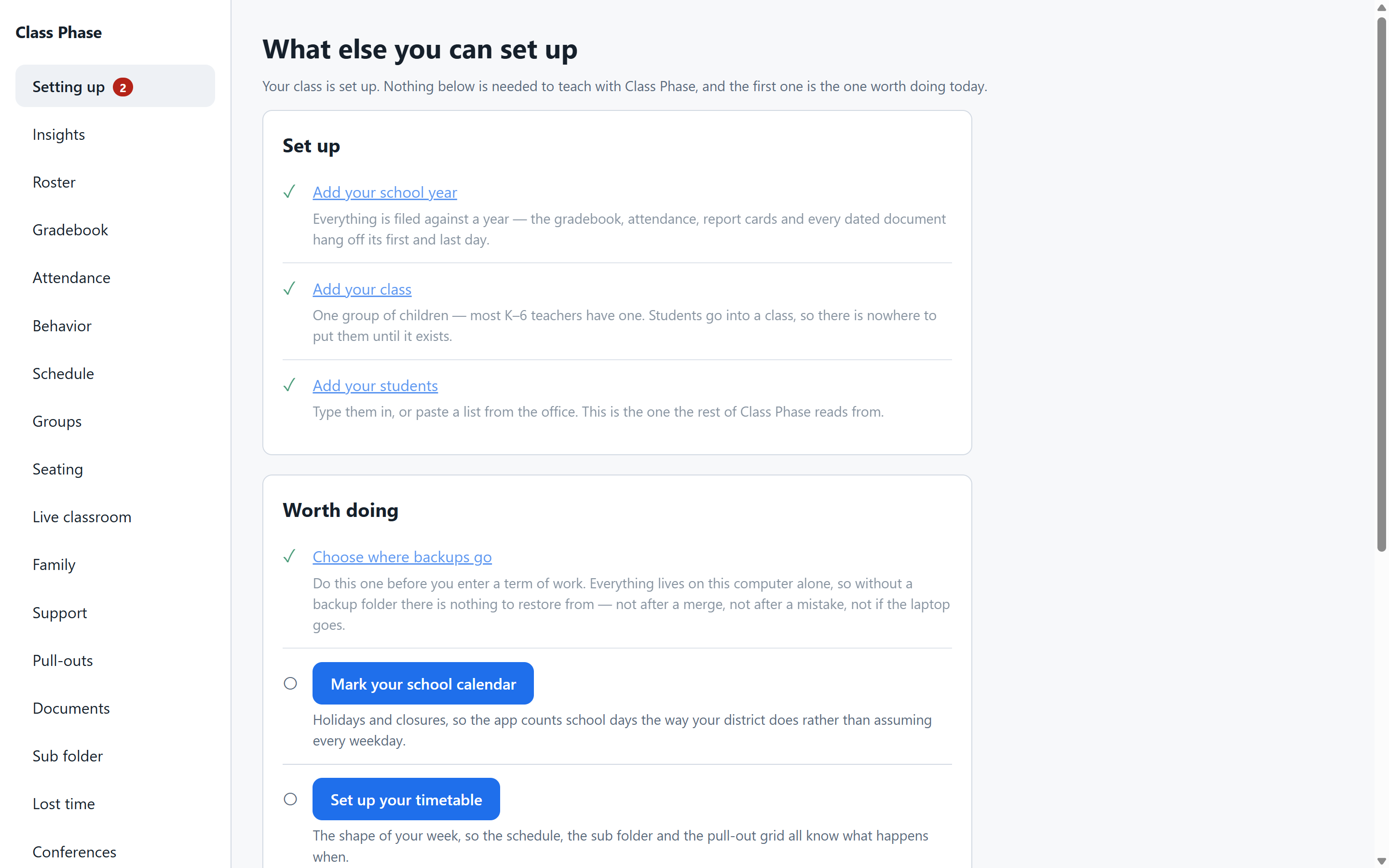
Class Phase walks you through setup the first time you open it, and keeps a short list of anything you skipped. Here's what to expect.
The first time you open it
Your year
Tell it the school year, the first and last day, and the grading periods you use. It offers sensible defaults you can change.
Your class
Name it, set the grade level, and add your students — type them, or paste a list from the office. It shows you which column it thinks is which before it commits.
Your backup folder
Pick anywhere you like: an external drive, a USB stick, a folder that syncs somewhere you trust. Class Phase will keep encrypted backups there from then on. If you skip this, it'll remind you.
Your recovery card
Choose four or more words you'll remember. Class Phase makes a card with them on it — save it as a PDF and put it somewhere that isn't next to the computer, or print it. That card is the key to your own records if this machine is ever lost.
That's setup. The checklist on the Setting up screen ticks itself off as you go, and it stays there until everything's done.
A normal day
Open it. Take attendance. Enter the scores from this morning's quiz. Log the call you made at lunch. Print the permission slips. Close it.
Everything writes to the child it's about, so there's nothing to file afterward. The gradebook, the profile, the sub folder and the report card are all reading from the same place.
When something goes wrong
A file went on the wrong child. Remove it — it comes off her page and stays in the record with your reason. Or destroy it, and it leaves the computer entirely; the app checks that it actually has before telling you so.
A student left, then came back. She's in Former students, with everything intact. One click returns her to the class.
Your laptop died. Install Class Phase on the new one. Point it at a backup. Enter your recovery passphrase. It checks the backup, tells you what it found, and brings your class back.
You changed your mind about a print. Cancel it. It says "Cancelled — nothing was printed," and means it.
The full guide
A step-by-step manual covering every screen is on its way. For now, every screen in Class Phase explains itself — what a control does and what it will cost is written right beside it.